No Account Needed to Buy Tickets: How Guest Checkout Works
Some of the most frustrating moments in online ticketing happen before you even select a seat. You find the gig you want, hit "buy," and the platform immediately halts your progress to demand an account. Pick a password, confirm your email, and tick five marketing boxes—all before you are even allowed to pay.
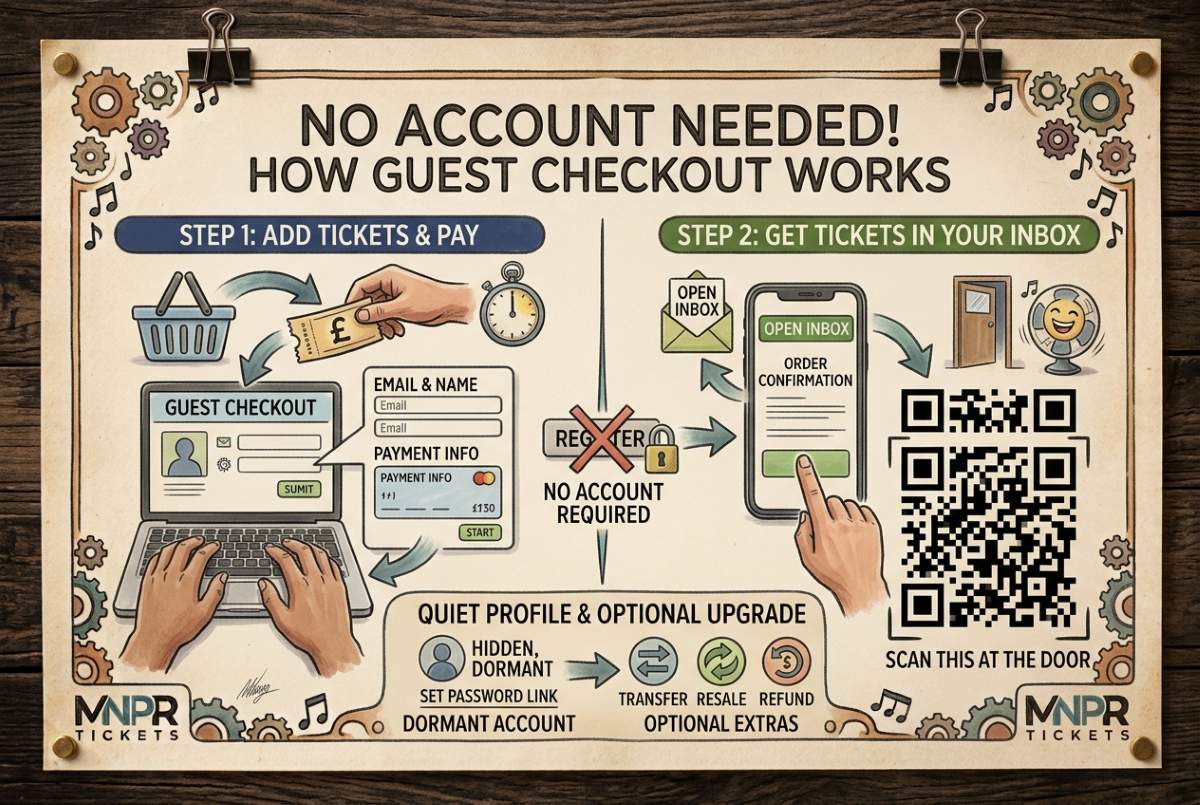
You don't have to jump through those hoops here. You can buy tickets on MNPR Tickets as a genuine guest, from start to finish, without ever creating an account.
How Guest Checkout Actually Works
The process is deliberately frictionless:
Add your tickets to the basket.
Enter your name and email address at checkout.
Pay.
That's it. Your tickets are instantly emailed to you as clear, scannable QR codes. You don't need to download a proprietary app or log into a portal to access them. Just show the email at the venue door and you are in.
What Happens Behind the Scenes
Here is the clever technical bit: a secure account profile is quietly generated for you in the background, but without a password.
This gives your tickets a permanent digital home on our system so they are safely stored if you ever need to manage them later. However, that profile sits completely dormant until you decide otherwise. You are never nagged to complete it, and your tickets work seamlessly whether you ever set a password or not.
Why You Might Choose to Set a Password Later
On your order confirmation screen—and inside your confirmation email—there is a completely optional link to set a password.
If you choose to click it, you aren't filling out a lengthy registration form from scratch. You are simply activating the profile that was already created for you, signing you in instantly with zero fuss.
Activating your profile gives you a few extra tools that guest checkout alone doesn't cover:
Centralised Management: View all your past and upcoming tickets in one place.
Easy Transfers: Gift or transfer a ticket directly to a friend.
Ethical Resale: List a ticket for face-value resale if you can no longer attend.
Self-Service Refunds: Request a refund or manage postponements directly from your dashboard without searching for old confirmation emails.
None of this is mandatory. If all you wanted was a ticket delivered to your inbox, guest checkout gave you exactly that. The password option is simply there if you want added control down the line.
The Principle Behind It
An account should be a helpful option you choose when it suits you, not a toll booth standing between you and a gig. Buy as a guest when you want speed, or set a password later if you want extra features. Either way, the choice is always yours.